Showing posts with label OUGD201. Show all posts

Tuesday, 22 November 2011

OUGD201 - Self Evaluation.


BA (Hons.) GRAPHIC DESIGN
LEVEL
05
 Module Code 
OUGD201               


 Module Title
DESIGN PRODUCTION - PRINT


END OF MODULE SELF-EVALUATION

NAME
CHARLIE CROSBY
BLOG. ADDRESS
http://c-crosby1013.blogspot.com/

1.  What skills have you developed through this module and how effectively do you think you have applied them?
I have discovered and developed a lot of new skills through this module. The most useful I found was the software workshops as they taught me lots of new ways to create simple yet visually satisfying imagery with Photoshop and Also how to apply colour in a multitude of ways over Adobe creative suite.

I found the short development briefs during the first half of the module really useful to kick start the second year as the challenged me and also brought back some of the creativity and work ethics which subsided over the summer break. Although some of the tasks were a bit daunting and in places tedious it did force out much more solid designs and it was especially good practice with drawing and thinking about how to utilise my drawing tools.

Moving on to the second half of the module I found myself designing more than I ever had on the course so far which I really enjoyed and got carried away with which caused me to take on too much work, sometime I’ve learnt from this is how to step back and rationalise my work and be more selective and generally sensible with my choice of response.

2. What approaches to/methods of design production have you developed and how have they informed your design development process?

Practical skills that I have developed include screen printing, which I had only done a little of before, foil blocking, duplex/double sided printing and photography. After using the screen print facility and getting such good quick results first time I feel encouraged to go back and print more for future projects and for any personal or side projects that I plan to carry out. Double sided printing I found difficult to get my head around especially when manually feeding it in the mac suites however I did learn how to send documents properly to the printers for duplex printing and different weights of stock and applications of ink. I particularly enjoyed experimenting with foil blocking because it was different to any other print I’ve ever done and produced really effect results.

3. What strengths can you identify in your work and how have/will you capitalise on these?

The strengths of my work lies in the amount of ideas and possibilities that I have come up with. This did make it a task in itself to actually make  choices of what to carry out for my range however I felt that my ideas and my concept development skills had massively improved in this module.

I’ve been keeping up with my targets that I set at the start of the year the main one being more organised with my time. I managed to get a lot more work done because I kept making ‘to do’ lists and design plans. To improve on this I would say to myself looking back that I should blog them and tick them off as I go.

4. What weaknesses can you identify in your work and how will you address these in the future?

Losing focus occasionally, I often get too stuck into designing or blog or researching and forget to spread my time across the many tasks that we have set out for us and by ourselves. For example, I’ve been so concentrated on this module that I have about 2 CTS seminars and a lecture to blog about and research as well as blogging the PPD and enterprise tutorials and the latest type session.

Being indecisive has always been a weak point for me, I tried to over come this as much as possible by getting someone to give me their opinion or crit my work. Most of the time this worked nicely and helped but others left me exactly where I was.

5. Identify five things that you will do differently next time and what do you expect to gain from doing these?

  1. Think big as usual but condense my targets and goals so as not to undertake more than I can manage. After these targets are met I will be able to expand creating a more efficient and focussed way of working.
  2. Blog my to do lists and tick them off on my blog to show progress and development and the things that I’m thinking about and prioritising.
  3. Make use of the college facilities more. After using a lot of the facilities that I avoided last year I can see how easy and effective they are. I want to use them more for upcoming briefs and also side projects that I have plans for.
  4. Blog more vigilantly. After workshops and seminars is easy and second nature now, however, I need to document my work more thoroughly using screenshots of the things I’m doing using software.
  5. Pay more attention to Design Context. I sometimes get carried away with designing so much that I forget to go back into my Context blog and update it or add to it. Also I’m starting to look at work whilst designing using multiple tabs when browsing the internet so I can quickly draw inspiration or blog something interesting and/or relevant.


6.How would you grade yourself on the following areas:
(please indicate using an ‘x’) 

5= excellent, 4 = very good, 3 = good, 2 = average, 1 = poor

1
2
3
4
5
Attendance


x
Punctuality


x
Motivation


x
Commitment


x
Quantity of work produced


x

Quality of work produced


x


Contribution to the group


x


The evaluation of your work is an important part of the assessment criteria and represents a percentage of the overall grade. It is essential that you give yourself enough time to complete your written evaluation fully and with appropriate depth and level of self-reflection. If you have any questions relating to the self evaluation process speak to a member of staff as soon as possible.


Monday, 21 November 2011

'GOOD IS' - Screen Printing.

Oddly enough this is the first time I've screen printed at Blenheim walk since my screen print induction. I found it really enjoyable although there is a lot of space between each stage of the process. As I have little experience with the college screen print facilities I thought I would document and narrate the process for future reference.

To begin with you have to find an available screen or in this case screens. You can expose several positives on to one large screen but it depends on what is available at the time. The screens need to be stripped of the current exposure so you can coat the screen for yours. (note: I couldn't photo graph stripping the screens as I was alone at this point and using harmful chemicals and protective gear)

Onces the screens are stripped and dried in the drying room they are now ready to be coated with the light sensitive emulsion. This can be tricky and takes a little practice, I was ok with it this time because the screens were relatively small, If it were a bigger screen It would have been best to get someone to help.

To apply the emulsion you use a troff which come in different sizes that fit to different screens. First you coat the side of the screen that would be facing down on the printing beds this is a quick movement from the base of the screen to the top. You have to make sure you do it evenly and firmly (this is the tricky part) so that the exposure will come out much clearer and crisper. After you have coated it you run the troff up both sides to get any excess off and then scrap that back into the emulsion tub so as not to waste it.


The screen now needs to be placed into a heating cabinet like the one below so that the emulsion can dry, this take approximately and hour.


Once the emulsion is dry the screen is ready to be exposed. To Create the image you desire on the screen you need to have a black and white print (to scale) of what you want to screen print. Here's the ones I used.


These are placed facing upwards and the screens are placed on top like this.


You then expose the screens to a UV light for about 10 minutes. The machine that does this needs to firstly be earthed using a cable that will be tucked down the right hand side, all you need to do with it is make sure its touching the metal frames on the screens. Then the vacuum needs to be switch on and the rubber sheeting has to be latched down. You can leave this to its own devices till its finished.


Once exposed fully you can remove the screens and begin to rinse them to get rid of the unexposed emulsion. The places where the light has hit the emulsion are now solidified completely and are no longer water soluble so they wont wash off with soap and water. The unexposed areas however, are still water soluble and they need to be washed before you start printing.


Its important to make sure you get all of the unexposed emulsion off as it may cause problems later on when printing. This may take a bit of time.

After the screens are all clear they need to be put back in the drying room (not the same as the heating cabinet) to dry off before you can start printing. This is the longest part of the process so you can either go away and do something else whilst your waiting or if your in a hurry you can speed up the drying by gently dabbing the screen with blue roll. This isn't the best option as you can get little fibres of tissue all over your screens which may cause you to have imperfections on your prints.


I never got any pictures of me actually printing the T-Shirts so I'll have to document that part of the process at a later date. However the prints came out nicely.

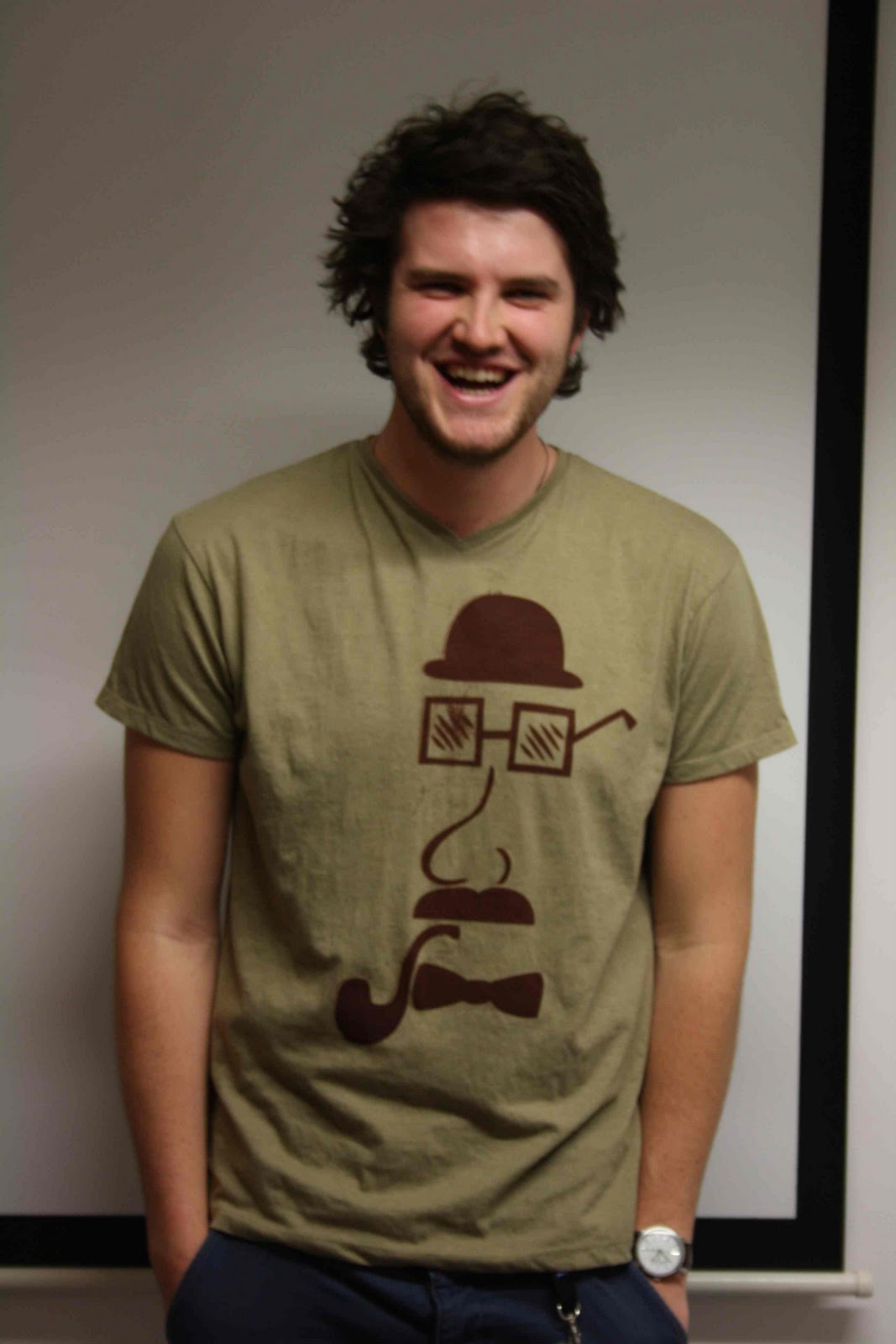
T-shirts kindly modelled by Luke O'Brien.


The Tees in their Packaging and with labels.


'GOOD IS' - Reprints.

Chap-In-A-Box Packaging. 


T-shirt Packaging.


Teacup Packaging.


CD Packaging.


Vinyl Cut Printed Stickers.


The colours always come out a little different on vinyl sticker paper, there is little you can do to help it other than spend a long time test printing and colour matching. This would have been too costly both in time and funding.

The colours for the disk vinyl though aren't too dissimilar to that of the CD case so it's not any real issue visually.


The captions 'TOODALOO' and 'WELL HELLO THERE' are backwards in sequence on this print which is quite frustrating as I only noticed once I had made up entire case. It's too far past the point to amend this, however I do have previous examples to show how it would have looked.


Overall I've used 3 stocks. Antique White uncoated for the majority of the packaging, Water Colour uncoated for the T-shirt box and Deep Burgundy coated for the promotional posters and flyers.


Although the box is a tight squeeze it is now much more sturdy and holds the T-shirt better. Its a really good size as well, nice and compact making it easy to stack on shelves and also for deliveries from online orders.


Promotional Prints with gold foil blocking print finish.


The screen prints came out well. The image based one on the left was a little scruffy in places where the screen hadn't been exposed properly but the one on the right was nearly perfect with only a few tiny dots going astray.


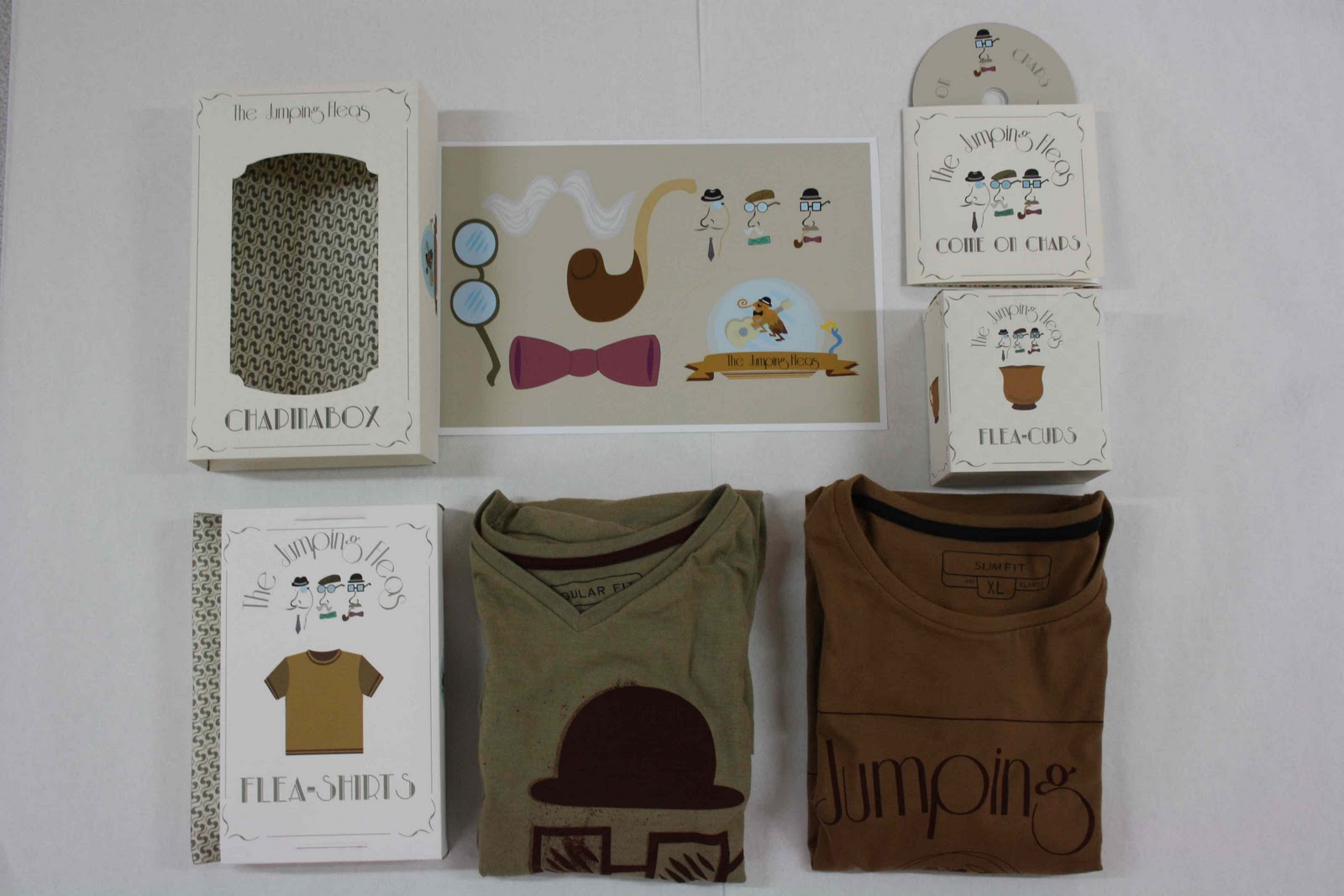
So here is my full range.